ToDo: every task on one screen
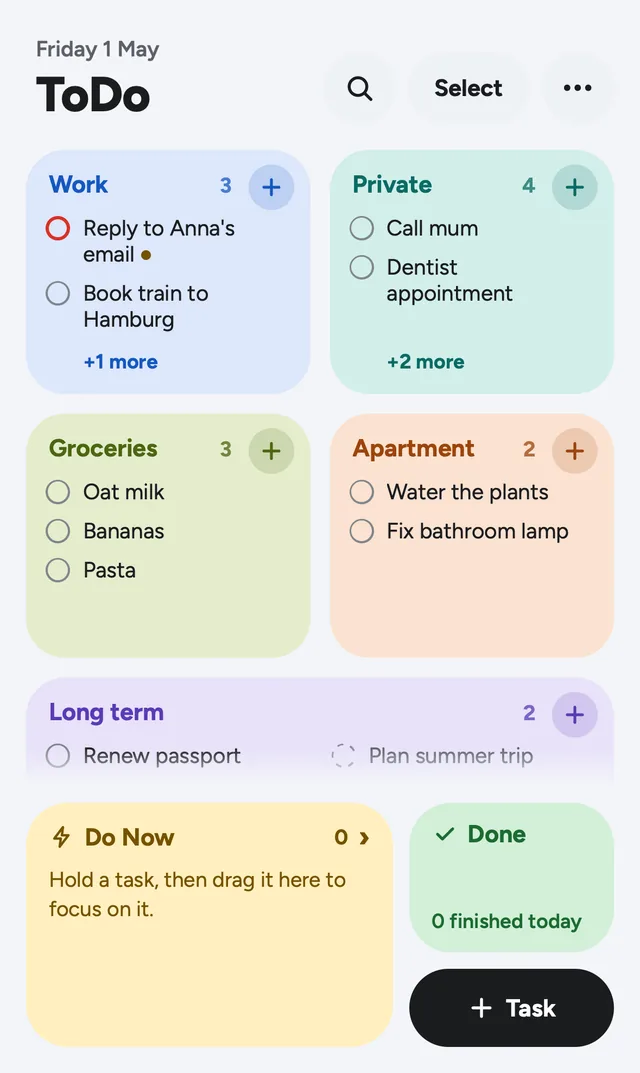
Most to-do apps hide your tasks behind lists you have to open one by one. ToDo puts every list on a single screen as a tile, so one glance tells you what's left: at work, at home, in the shop.
The idea
A list app should answer one question fast: what do I still have to do? So the home screen is not a menu of lists but the lists themselves. Each list is a tile in a two-column grid (small, wide or large), its tasks are visible right there, and anything that doesn't fit scrolls inside the tile.
How it works
The whole app runs on a few gestures, and each one always means the same thing:
| Tap the circle | Finish the task (with Undo) |
| Tap the title | Open details: priority, due date, steps, notes |
| Hold, then drag | Move it to another list, to Do Now or to Done |
| Tap + on a tile | Add a task straight to that list |
Do Now is a focus list for today. A task you drag there stays in its own list too (with a small bolt icon), and finishing it in either place finishes it everywhere. Done collects finished tasks by day, week or month, and every one can be restored.
What else it can do
- Quick add. Type
Milk tomorrow #groceries !and the task lands in Groceries, due tomorrow, high priority. - Paste a list. Paste several lines and every line becomes a task.
- Reorder by hand. Hold a task in a list and drag it up or down; steps inside a task can be reordered too.
- Swipe. In a list, swipe left to finish, right to move to Do Now.
- Select many. Move, finish or delete twenty tasks in three taps.
- Search across all tasks, notes and steps, including finished ones.
- Share a list as plain text, e.g. the shopping list to WhatsApp.
- English and German, following your phone's language.
Four looks
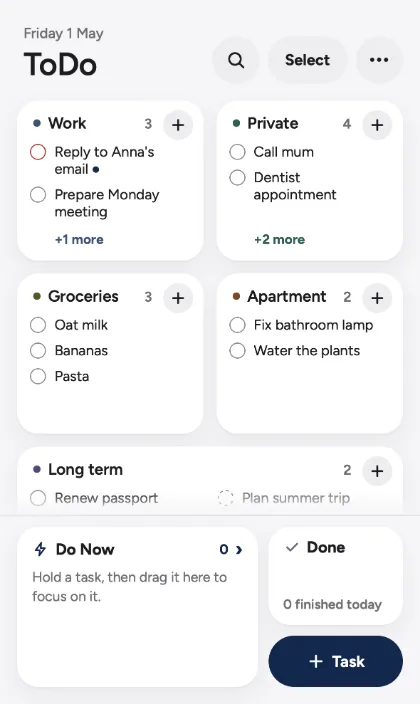
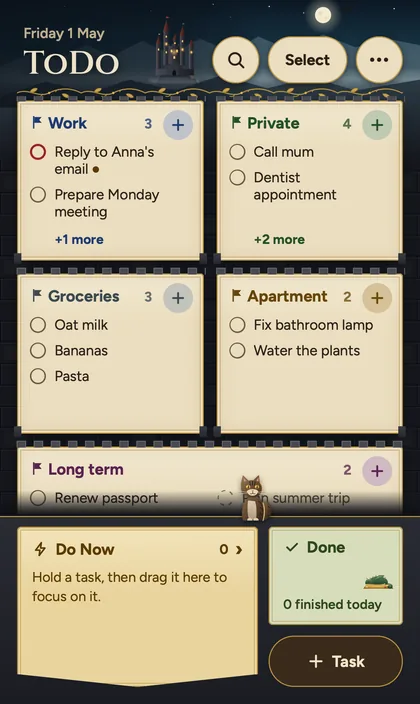
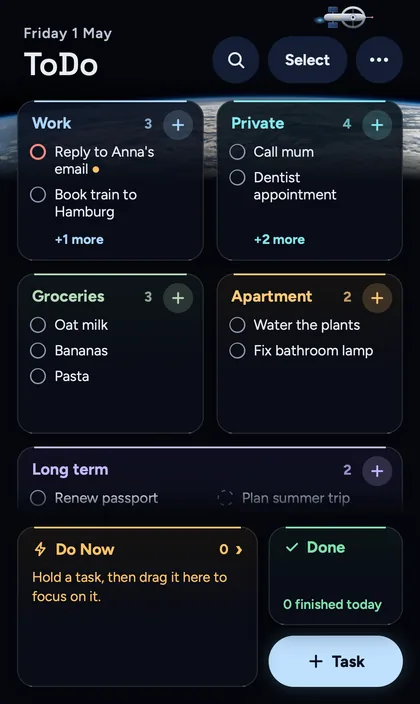
The layout never changes, only the look: bright Verano, quiet Ulm, the castle-and-dragon Eldermere and the night-sky Vesper.
Your data stays on your phone
There is no account, no server holding your tasks, no tracking. Everything is stored in your browser on your device, and the app works offline.
- Automatic backups of the last 14 days protect you from mistakes, like deleting the wrong list.
- Export backup saves a file to Files or iCloud, a copy that stays safe even if the phone's browser data is cleared.
Tip: in Safari, tap Share → Add to Home Screen. ToDo then opens full screen like an app, and Safari won't clear its data after a week without use.
How it was built
ToDo is plain HTML, CSS and JavaScript: no framework, no build step, served as static files from Cloudflare. Every feature started as a few lines in a written spec plus an acceptance test, and was then implemented with Claude Code. That kept a growing app consistent: more than 240 automated tests (logic and real-browser) run on every change.
Try it
Open todo.nasichi.dev on your phone, add it to your Home Screen, and tell me what's missing via ⋯ → Send feedback in the app.